
Input isolation
The easiest way for a terminal app to go wrong is this: the foreground is editing or a modal is open, but the background list still responds to keys. The input_mutex example demonstrates Ratatui Kit’s answer: the background list, edit layer, and modal layer each register handlers; when an upper layer opens, it cuts off lower layers.
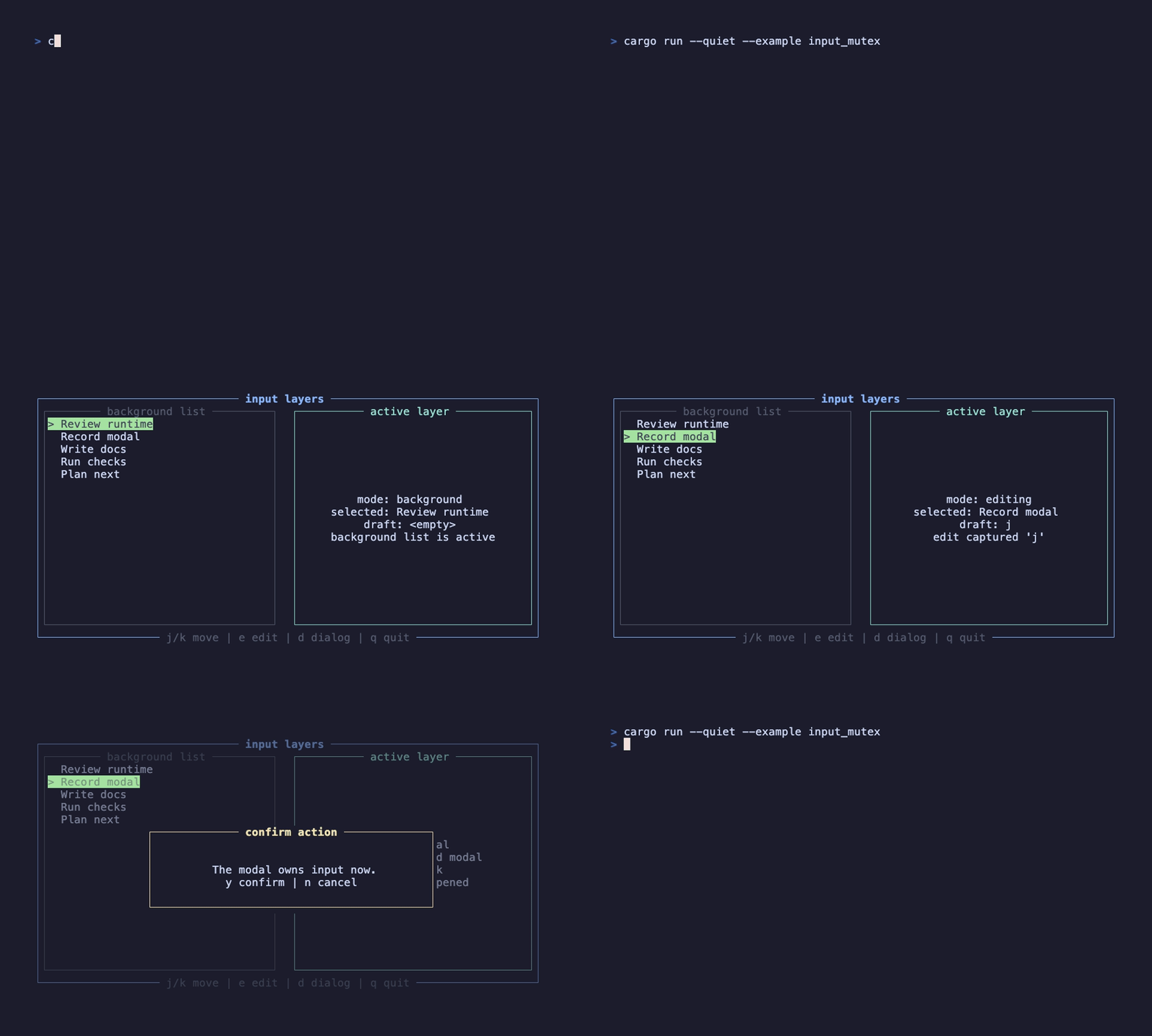
This recording is generated by docs/tapes/input_mutex.tape. It first moves the background list, then opens the edit layer and types jk, and finally opens a modal and presses j. None of those keys keep moving the background list.
Run it
Section titled “Run it”Press j/k to move the background list, e to enter edit mode, Enter to save the edit, d to open the modal, y/n to confirm or cancel, and q to exit.
Dispatch path
Section titled “Dispatch path”The old model was broadcast: every subscriber received the same event. The new model is central dispatch: every frame, components register layers and handlers again; after rendering, InputRuntime dispatches one event by layer.
Background layer
Section titled “Background layer”The background list registers on the current layer with EventScope::Current. When no modal or edit layer is open, that is the root layer, so it can handle j/k, e, d, and q.
Consumed means this event has been handled and later handlers on the same layer should not receive it. Keys that were not handled return Ignored, allowing the event to keep looking for another candidate.
Edit layer
Section titled “Edit layer”When edit mode is open, the component declares an input layer:
The second argument, true, is the important part: this layer cuts off lower layers. Therefore j/k no longer moves the background list in edit mode; the edit layer captures them as ordinary characters.
An InputLayer handle is valid only for the current frame. Do not store it in State; call use_input_layer again every frame.
Modal layer
Section titled “Modal layer”If the modal’s handler is written in the parent component, pass the same layer to both the handler and Modal:
This pairing is important. If the handler binds to modal_layer but Modal does not receive layer: Some(modal_layer), Modal will open a new layer and cut off the parent’s layer, so the parent handler stops hearing modal keys.
Prefer built-in components
Section titled “Prefer built-in components”Ordinary search boxes, confirmation dialogs, alerts, and shortcut help dialogs already have built-in components: SearchInput, ConfirmModal, AlertModal, and ShortcutInfoModal. Use them first in application code, and write the use_input_layer three-piece setup only for more complex interactions.
Next, read Routing workspace to combine input isolation with page structure.