
VirtualList
VirtualList is the low-level component for long lists and custom row rendering. It is available with the virtual-list feature. It reuses tui-widget-list and calls render_item only for the visible window, so it can handle thousands or tens of thousands of rows without first building a complete ListItem collection.
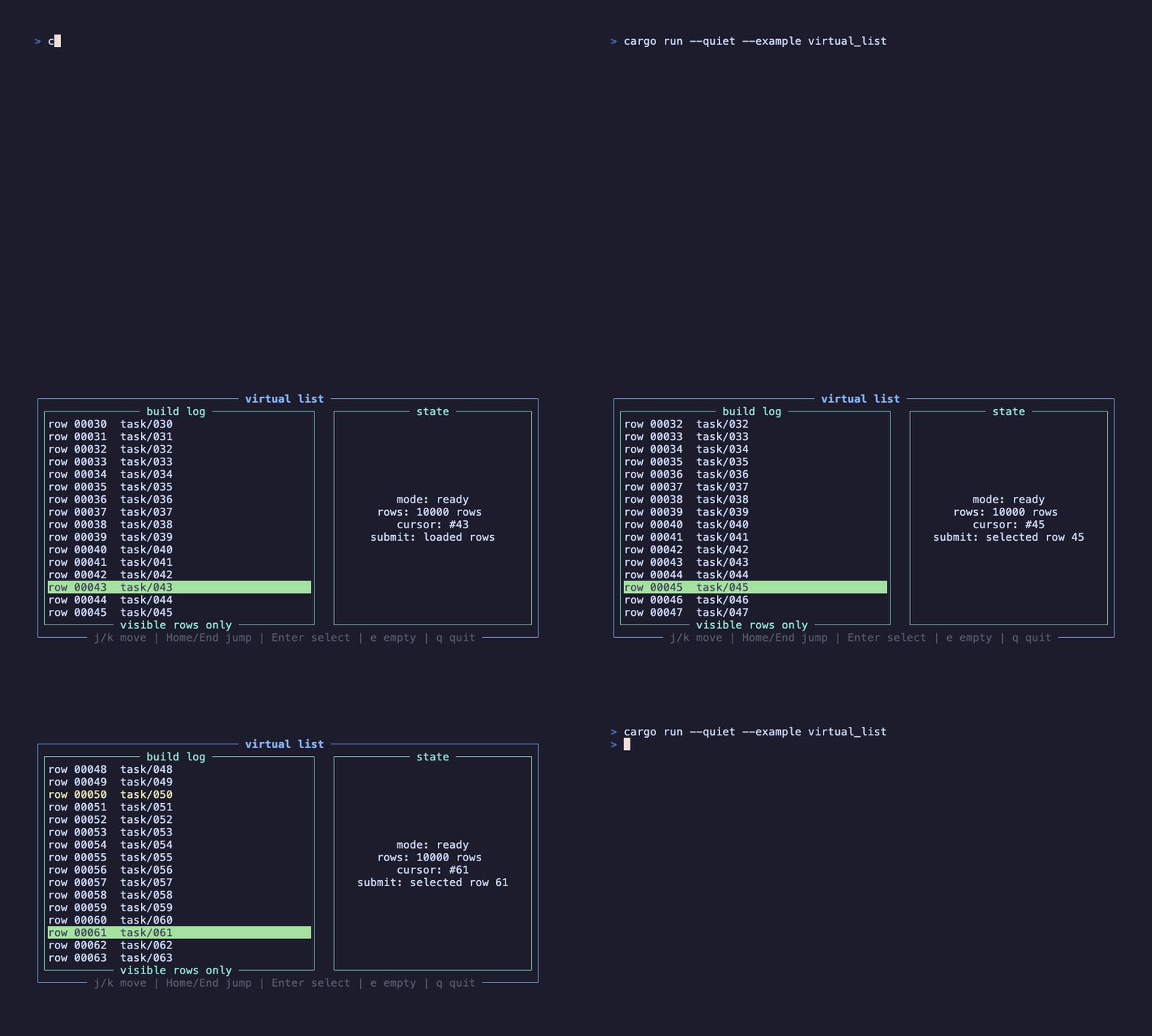
This recording is generated by docs/tapes/virtual-list.tape. The example loads 10,000 rows, uses default_index to restore the cursor to row 43, moves repeatedly, submits the current row, and switches to the empty-list state.
Press j/k to move, Home/End to jump to the start or end, Enter to submit the current index, e to toggle the empty state, and q to quit.
Feature
Section titled “Feature”VirtualList is behind the virtual-list feature:
Examples use the full feature, so they can be run directly. The library default feature set is empty; when validating this component, use --all-features.
Minimal form
Section titled “Minimal form”render_item returns (widget, main_axis_size). In a vertical list, main_axis_size is row height; in a horizontal list, it is column width. The component requests only the rows needed for the visible region, so render_item should do lightweight, deterministic row construction.
External state
Section titled “External state”By default, VirtualList stores its own tui_widget_list::ListState. If the page needs to display the current cursor, implement virtual multi-select, or let the parent handle extra keys, pass external state:
on_select returns the current index, not row data. That keeps the component from owning your business collection; you can use the index to read from your own data source, jump to details, or update a selection set.
Default cursor
Section titled “Default cursor”default_index is an index, not a value. It supports “empty first, loaded later”: an empty list does not permanently swallow the default cursor; when data returns and there is no current cursor, the component selects the default index. Once the user has moved the cursor, list length changes do not force the cursor back to the default.
When item_count becomes shorter, the component clamps an out-of-bounds cursor to the last valid item. When item_count is 0, it does not consume navigation or confirm keys, so the parent component can still handle page-level shortcuts.
Layout and style
Section titled “Layout and style”VirtualList can receive width, height, margin, and offset directly. Its border still uses the native Block from tui-widget-list:
scroll_padding scrolls early before the cursor reaches the edge. infinite_scrolling controls whether the list wraps at the start/end.
Composed multi-select
Section titled “Composed multi-select”Prefer MultiSelect for ordinary multi-select. When the list is long, rows need custom rendering, or the selection set must be fully controlled by business code, combine VirtualList with an external HashSet<usize>; Virtual Multi Select demonstrates this pattern.
VirtualList does not include loading/empty text or business themes. Compose those at the page level: while loading, pass item_count: 0 and render status outside; when data returns, restore the real count.