
ScrollView
ScrollView is a scrollable container. It does not change how you declare child components: you still compose content with ordinary View, Text, and Border; those children are simply rendered into a larger internal buffer first, then displayed through the visible viewport according to the current offset.
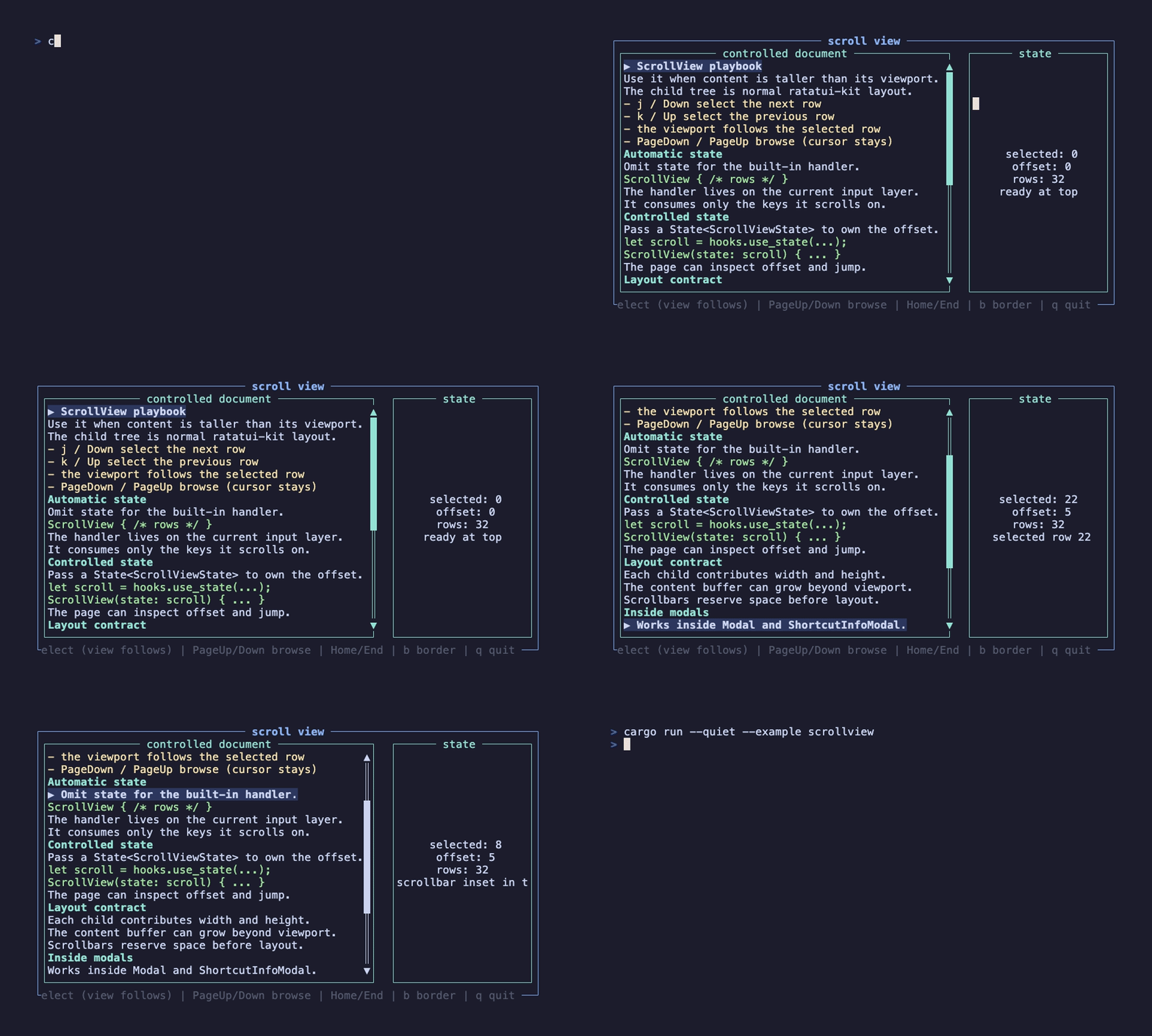
This recording is generated by docs/tapes/scrollview.tape. The example shows a controlled document reader: the left side is a ScrollView, and the right side displays the live ScrollViewState offset. Press j/k to scroll by line and PageDown/PageUp to page; the state panel updates with every move.
Press j/k or arrow keys to scroll line by line, PageDown/PageUp to page, Home/End to jump to the top or bottom, and q to quit.
Automatic state
Section titled “Automatic state”The minimal form does not require you to store scroll state yourself:
When state is not passed, ScrollView creates its own ScrollViewState internally and registers scroll events on the current input layer. It supports j/k, arrow keys, PageUp/PageDown, Home/End, and the mouse wheel.
Built-in scrolling is gated only by active (default true); it is orthogonal to state, so passing external state does not turn it off — you can hold a handle and keep the built-in keys, matching the other selection components. The internal handler now returns EventResult::Consumed for the keys it actually scrolled on (and Ignored for everything else), so unrelated shortcuts on the same layer — page-level q to quit, ? to open help — still run.
Controlled state
Section titled “Controlled state”When a page needs to read the offset, reset the scroll position, or connect scrolling to other UI, pass external state:
The example uses external state: j/k move a selected cursor and the viewport follows it via scroll_state.write().scroll_to_index(selected); the state panel reads scroll_state.read().offset().
ScrollViewState also exposes size() / page_size(), is_at_bottom() (for stick-to-bottom logs/chat), scroll_to_visible(y, height), and — the follow-the-selection primitive — scroll_to_index(i) / child_area(i), which scroll the i-th direct child into view. ScrollView records each direct child’s content-buffer area every frame, so after a page moves its selection over a list of children it just calls scroll_to_index(selected). Child geometry is selection-independent, so no extra measure pass is needed. handle_event returns bool (whether it acted), so business handlers can map it to Consumed / Ignored.
Content size
Section titled “Content size”ScrollView content size comes from child layout constraints. In the example, every row has an explicit height:
If child nodes do not have stable heights, scroll distance becomes hard to predict. For long documents, logs, shortcut tables, and read-only detail pages, making each row Constraint::Length(1) is usually easiest to control.
The block prop draws borders and titles outside the scroll viewport:
Scrollbars are controlled through Scrollbars. Automatic shows only when content overflows; Always reserves stable space; Never fits cases where you explicitly do not need scrolling in that direction.
Scrollbars on the border
Section titled “Scrollbars on the border”With a bordered block, Scrollbars::over_border (default true) draws the scrollbar on the block’s border ring — the track sits on the right/bottom border line, and the content keeps the full inner area. Set it to false to inset the scrollbar inside the border instead, reducing the content viewport by one row/column:
The scrollview example toggles this at runtime (press b) so you can compare the two looks. Either way the offset is clamped against the true visible viewport, so the last row/column is always reachable.
Combining with input layers
Section titled “Combining with input layers”ScrollView registers its handler in EventScope::Current. When placed inside Modal or ShortcutInfoModal, it naturally belongs to the foreground modal’s current layer, so scrolling inside the modal does not pass through to the background page.
If you only need to display shortcut groups, prefer ShortcutInfoModal. If you need to render a very long selectable list, see VirtualList.
Mouse interaction
Section titled “Mouse interaction”Enable RunOptions { mouse: true } at the application entry. ScrollView handles thumb dragging, track jumps and one-unit arrow steps; its scrollbar remains interactive with active: false. ScrollbarStyle.hover_style and drag_style provide feedback. Main-axis Percentage/Ratio/Fill use the original block.inner size, while the cross axis uses the resolved viewport. Child drawing, hit mapping and scrolling share the clamped offset and layout snapshot. See Pointer Events for custom scrollbars and coordinate rules.