
Async data states
use_async_state comes from a page-loading pattern that appears repeatedly in TRNovel: start a request, show loading, write data on success, and write error on failure. The framework keeps only the generic skeleton; it does not add business copy, debounce behavior, or Tokio timer policy.
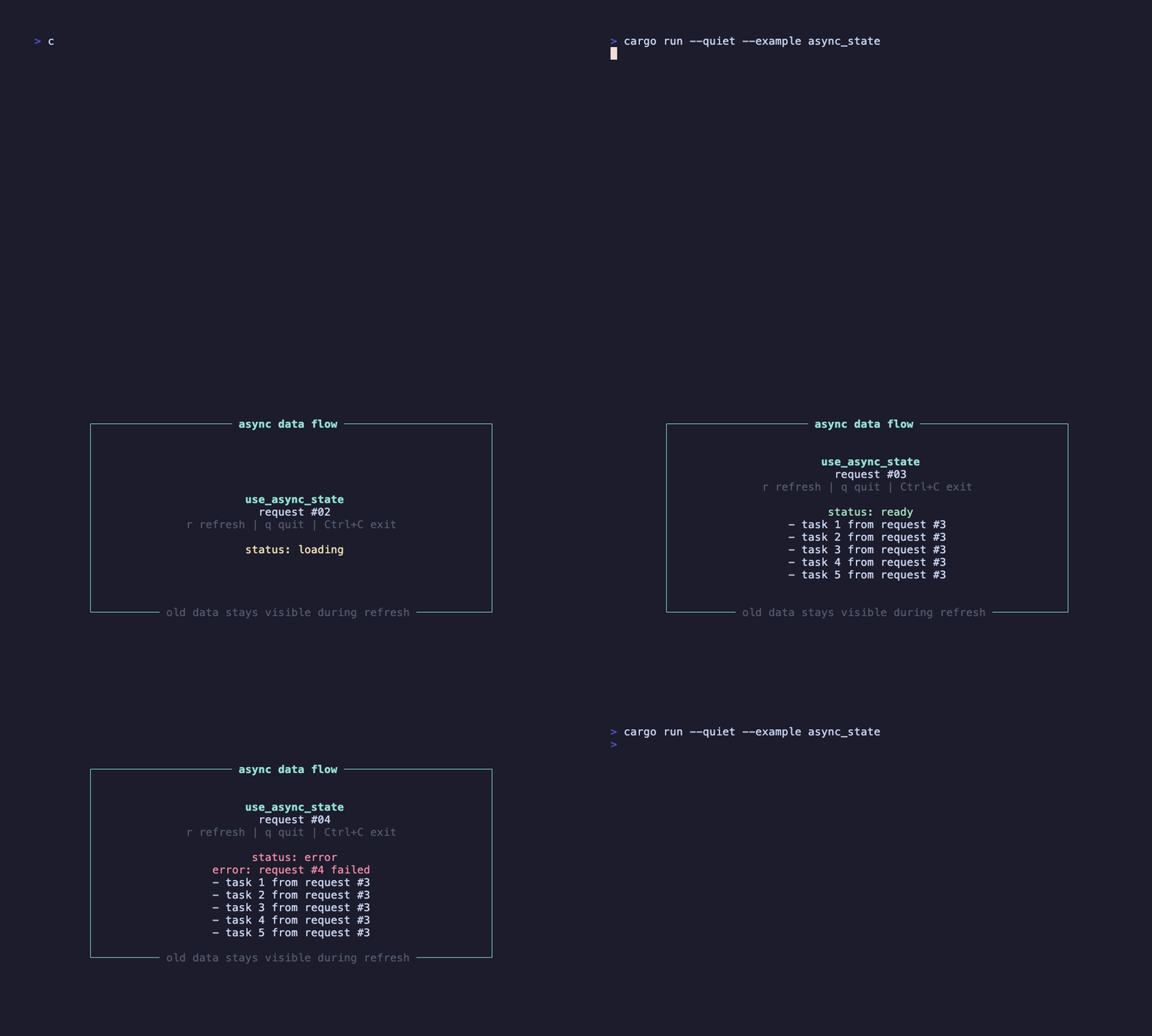
This example refreshes data several times and simulates a failure on the fourth request. When a request fails, the old data remains visible; the error only describes the current failed request.
Run it
Section titled “Run it”Press r to refresh data and q to exit.
State flow
Section titled “State flow”use_async_state returns three reactive handles:
data: State<Option<T>>loading: State<bool>error: State<Option<E>>
When the request_id dependency changes, the old future is replaced and the new future sets loading to true. On success it writes data; on failure it writes error. Either way, it sets loading back to false at the end.
Why old data stays visible
Section titled “Why old data stays visible”The default behavior keeps old data while a refresh is running. That is useful for terminal lists: the user can still see the previous result, while loading and error clearly describe the current request state. A failure is not an empty list; a failure means “this refresh did not produce a new result.”
If your application needs to clear old data during refresh, compose your own state policy around the hook, or add an explicit reset option in the future. The default avoids flicker in terminal interfaces.
Do not spawn directly
Section titled “Do not spawn directly”Do not call tokio::spawn at the top level of a component function and then write state from it. That bypasses dependency comparison and may start a new task every frame.
Next, read Input layers to understand why modals and search inputs no longer compete with background components for the same events.