计数器是第一条正式教程。我们让一个数字每秒醒来一次,它会带你走过 ratatui-kit 的核心路径:组件更新、hook 保存状态、异步任务写入 state、waker 唤醒下一帧。
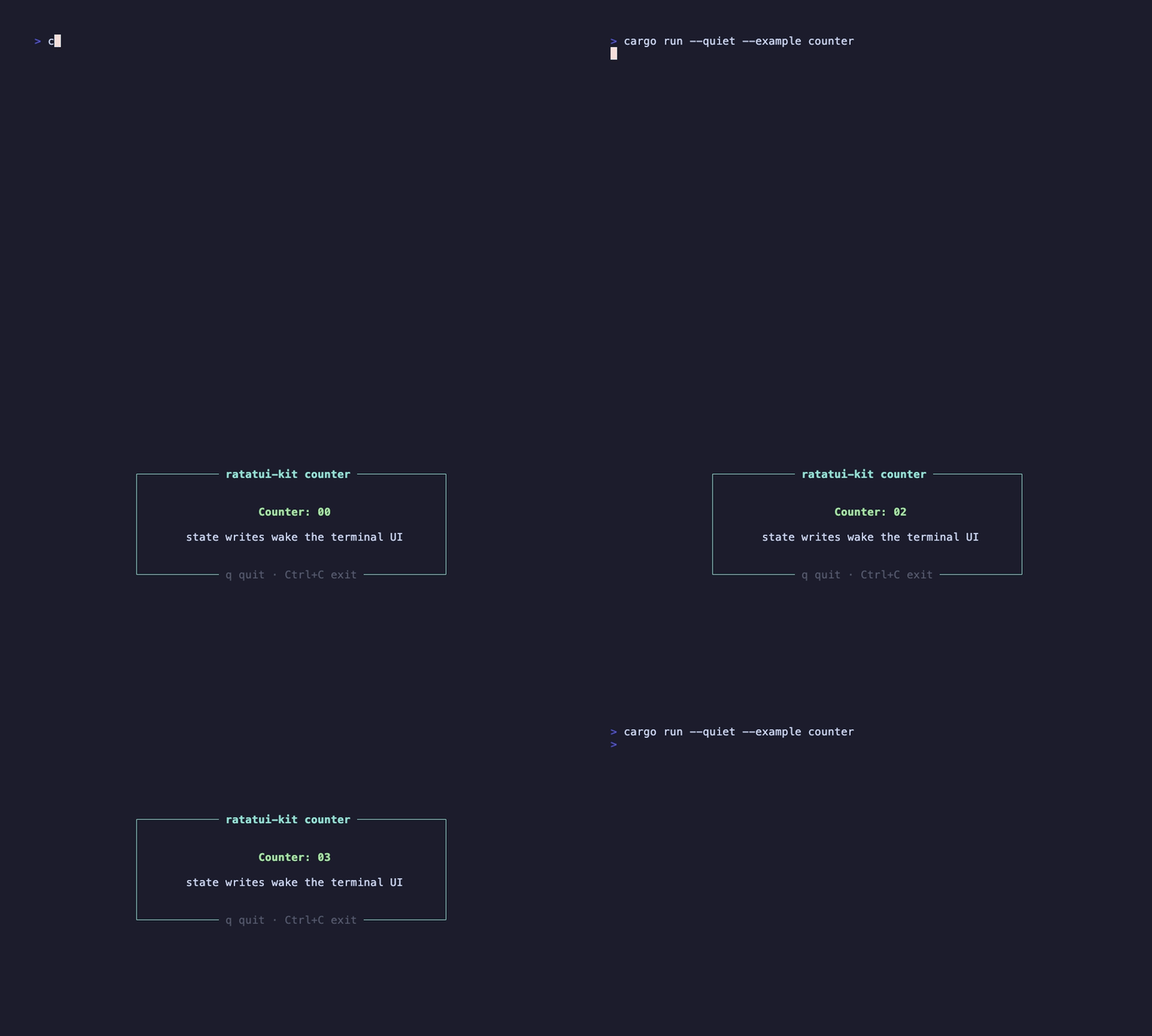
这个录屏由 docs/tapes/counter.tape 生成,运行的是仓库里的真实 example。
cargo run --example counter
按 q 退出,或使用 Ctrl+C 强制退出。
完整源码在 examples/start/counter.rs。下面是组件主体:
examples/start/counter.rs
#[component]
fn Counter(mut hooks: Hooks) -> impl Into<AnyElement<'static>> {
    let mut count = hooks.use_state(|| 0_u64);
    hooks.use_future(async move {
        loop {
            tokio::time::sleep(std::time::Duration::from_secs(1)).await;
            count += 1;
        }
    });

    let mut exit = hooks.use_exit();
    hooks.use_event_handler(EventScope::Current, EventPriority::Normal, move |event| {
        let Event::Key(key) = event else {
            return EventResult::Ignored;
        };
        if key.kind == KeyEventKind::Press
            && matches!(key.code, KeyCode::Char('q') | KeyCode::Char('Q'))
        {
            exit();
            return EventResult::Consumed;
        }

        EventResult::Ignored
    });

    element!(
        Center(
            width: Constraint::Length(48),
            height: Constraint::Length(9),
        ) {
            Border(
                flex_direction: Direction::Vertical,
                justify_content: Flex::Center,
                border_style: Style::new().cyan(),
                top_title: Line::from(" ratatui-kit counter ").cyan().bold().centered(),
                bottom_title: Line::from(" q quit · Ctrl+C exit ").dark_gray().centered(),
            ){
                View(
                    flex_direction: Direction::Vertical,
                    justify_content: Flex::Center,
                    gap: 1,
                ) {
                    View(height: Constraint::Length(1)){
                        Text(text: Line::styled(
                            format!("Counter: {:02}", count.get()),
                            Style::new().green().bold(),
                        ).centered())
                    }
                    View(height: Constraint::Length(1)){
                        Text(text: Line::from("state writes wake the terminal UI").centered())
                    }
                }
            }
        }
    )
}
#[component] 把 Counter 变成一个持久 UI 单元。函数每帧都会重新执行,但 hooks 挂在组件实例上,不会随着函数返回而消失。
use_state 创建局部状态:
let mut count = hooks.use_state(|| 0_u64);
count 是一个可复制的响应式句柄。它不是普通局部变量;写入它会唤醒运行时。
use_future 在组件挂载时启动一次异步任务:
hooks.use_future(async move {
    loop {
        tokio::time::sleep(std::time::Duration::from_secs(1)).await;
        count += 1;
    }
});
每次 count += 1 都会标记状态变更。渲染循环正在等待 “组件树变化或终端事件”,于是它被唤醒,重新运行组件函数,再把新的数字画到终端。
element! 描述本帧 UI:
element!(
    Center(width: Constraint::Length(48), height: Constraint::Length(9)) {
        Border {
            Text(text: format!("Counter: {:02}", count.get()))
        }
    }
)
这段概念代码省略了样式和内部布局,只保留 element tree 的轮廓。这里的 Element 是声明,廉价且每帧重建;真正保存状态的是运行时复用的组件实例。
这个例子把框架最小闭环跑了一遍:
- 入口从
element!(Counter).fullscreen().await 开始。
- 组件函数负责声明 UI。
- hooks 负责跨帧保存状态和副作用。
- 响应式状态负责唤醒下一帧。
- ratatui buffer 只在 draw 阶段被写入。
下一步看 异步数据三态,把 “定时自增” 换成 “请求、loading、error 和数据刷新”。
