
原生 Widget 桥接
custom_widget 接替旧的 list / custom_list 示例:它不再只展示 Item 1,而是用一个部署队列说明什么时候该继续用内置组件,什么时候该落到原生 ratatui widget。
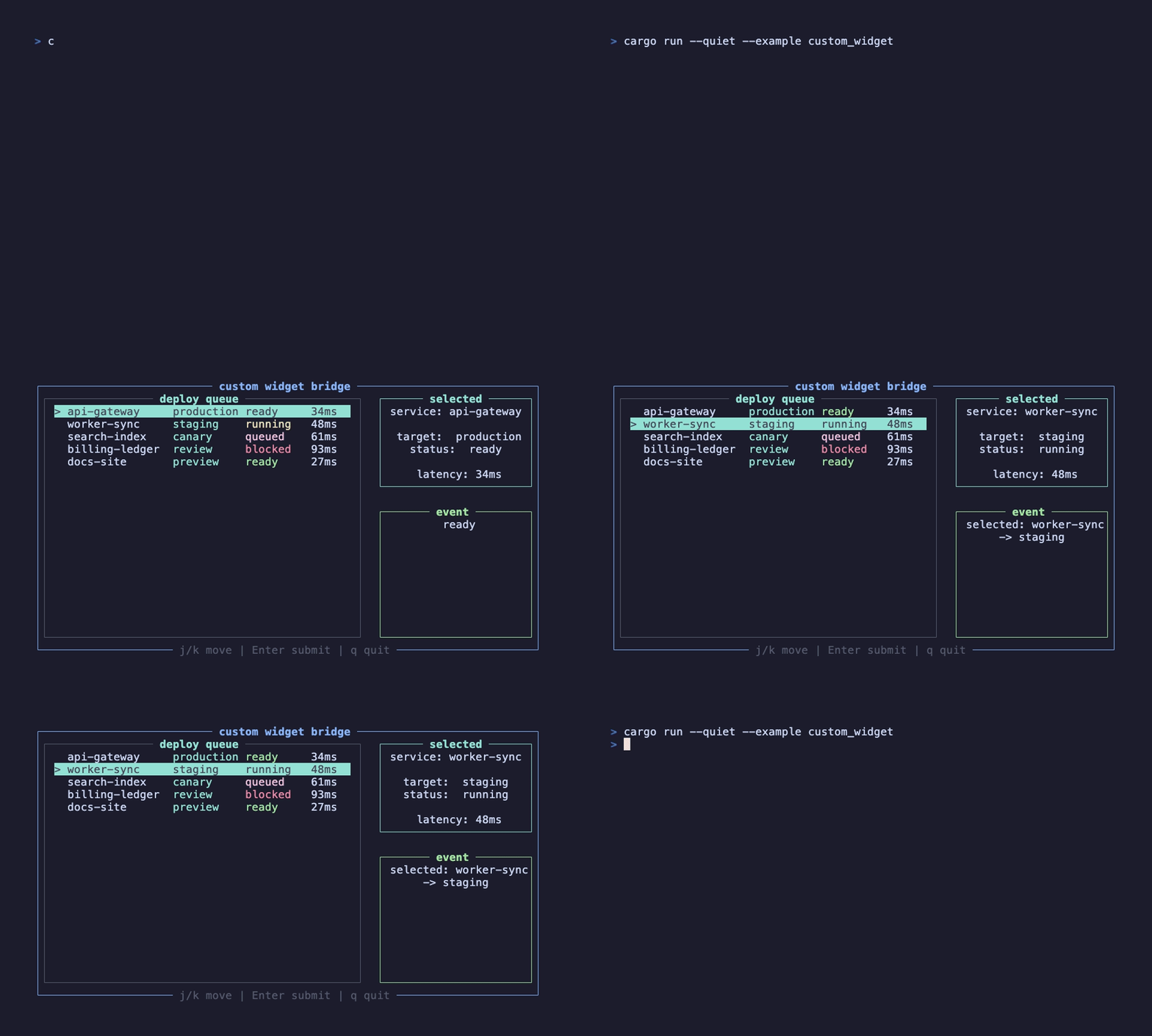
这个录屏由 docs/tapes/custom-widget.tape 生成,运行的是 examples/advanced/custom_widget.rs。按 j/k 移动队列,按 Enter 提交当前项,右侧面板会跟着 ListState 更新。
为什么需要这层
Section titled “为什么需要这层”内置的 Select、MultiSelect、TreeSelect 和 VirtualList 覆盖了常见选择场景。但框架不应该把每一个 ratatui widget 都包装成业务组件。遇到更底层的表格、图表、日志面板或自定义 painter 时,可以手写一个 Component,在 draw 阶段直接调用 ComponentDrawer。
外层还是普通函数组件
Section titled “外层还是普通函数组件”外层 CustomWidgetApp 仍然是普通 #[component]。键盘事件、退出、状态读取都放在这里:
ListState 放在 use_state 里,这样状态写入会唤醒渲染循环。State<ListState> 是一个轻量句柄,可以按值传给手写组件和事件闭包。这里用 DeployQueue(..queue_props) 是因为 props 里有必须显式传入的 State<ListState>,不走默认 props 构造。
手写 Component
Section titled “手写 Component”手写组件的职责很窄:保存 props 里传来的 State<ListState>,每帧 update 同步句柄,draw 时渲染原生 widget。
这里用 write_no_update() 很关键:draw 阶段只是把 ratatui 的 stateful widget 渲染到 buffer,不应该再触发一次响应式变更。真正改变选中项的是事件 handler 里的 state.write().select(...)。
update 阶段的低层边界
Section titled “update 阶段的低层边界”手写 Component 比函数组件更靠近运行时,所以它能拿到 ComponentUpdater 和 ComponentDrawer。这不是日常业务 API,但当你要写一个真正的低层组件时,需要知道这些边界:
| 能力 | 放在哪个阶段 | 用法 |
|---|---|---|
| 同步 props 到实例字段 | update | 把 props.state、props.items 这类句柄或配置复制进组件实例 |
| 使用 hooks | update | 普通 use_state 可直接用;use_event_handler、use_context 这类需要 context 的 hook 要先 hooks.with_context_stack(...) |
| 设置布局字段 | update | props 上有 #[with_layout_style] 时,调用 updater.set_layout_style(props.layout_style()) |
| 让组件透明布局 | update | 调用 updater.set_transparent_layout(true),通常由 #[component] 宏自动做 |
| 手动更新子组件 | update | 调用 updater.update_children(elements, context),适合自己组织子树的组件 |
| 绘制 ratatui widget | draw | 用 drawer.render_widget 或 drawer.render_stateful_widget |
| 自定义子节点区域 | calc_children_areas | 默认是 flex 布局;复杂容器可以重写,但返回区域数必须等于 children 数量 |
手写组件拿到的 hooks 默认不是 context-aware。如果要注册事件或读取 Provider,需要先升级:
这一步只在手写 Component 里需要。#[component] 函数组件由宏处理,平时可以直接调用 use_event_handler、use_exit、use_context。
如果只需要读取或修改 context 数据,也可以直接走 ComponentUpdater:
这种 API 更底层,适合框架组件内部使用。业务组件优先通过 hook 暴露语义,例如用 use_exit() 而不是直接改 SystemContext。
adapter 和手写组件怎么选
Section titled “adapter 和手写组件怎么选”如果只是把一个现成 widget 放进 element tree,可以直接用宏里的 adapter 语法:
如果你需要在组件内部构造复杂 widget、拆分 props、复用绘制状态或接入自定义布局,就手写 Component。这条边界比“所有东西都封装成内置组件”更清晰,也能避免框架 API 被业务组件污染。
下一步看 自定义 Hook:把稳定的状态、副作用和订阅模式沉淀成业务自己的 use_*。